


KIRI Engine: 3D Scanner App
4.4424.00 Reviews
App Specs
- Version
- V4.2.8
- Updated On
- License
- Free
- Downloads
- 1,000,000+
- Developer
- KIRI Innovation
- Categories
- Photography
- Platform
- Android
Screenshots
 Analysis by AppCompare
In today's digital world, capturing the essence of physical objects and translating them into the digital space is more relevant than ever. Enter the KIRI Engine, a 3D Scanner App that promises to make detailed 3D scans accessible right from your smartphone. Let’s dive into what this app has to offer and see if it lives up to the hype.
Getting Started with KIRI Engine
The first thing you'll notice when you open up the KIRI Engine is its user-friendly interface. The app is designed to be intuitive, making it easy for both beginners and seasoned 3D modelers to get started. After a quick setup process, you're ready to scan. What’s fantastic is that you don’t need any additional equipment besides your smartphone, which opens up a world of possibilities.
Scanning Process
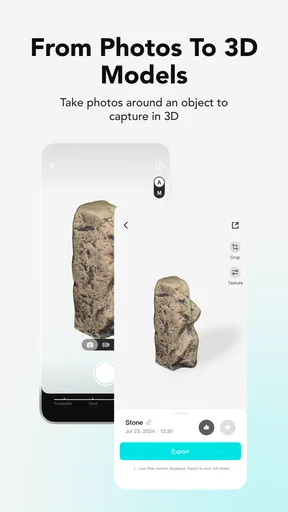
Let's talk about the scanning process. It’s straightforward: you simply focus your camera on the object you want to scan, and the app guides you through the rest. The process is a bit like taking a panorama photo. You move around the object, capturing it from different angles. The app then stitches these images together to create a seamless 3D model.
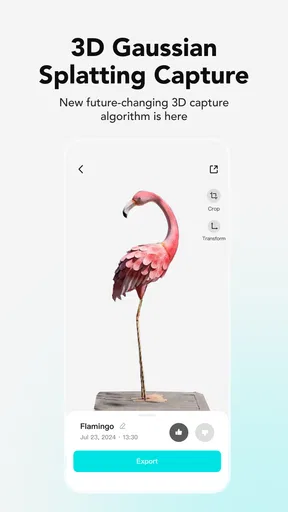
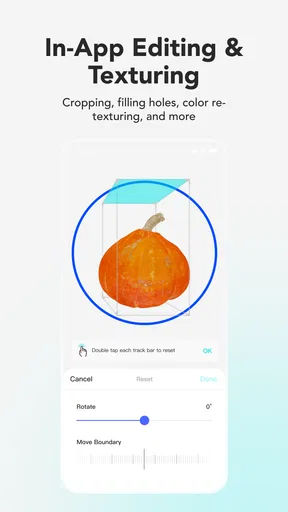
I was pleasantly surprised by the speed and efficiency of the scan. The app uses advanced photogrammetry technology to ensure accuracy, and it shows. After capturing the necessary images, the app processes them into a detailed 3D model. This is where the magic happens, and let me tell you, it’s a bit like watching a futuristic sci-fi film where technology does all the heavy lifting.
Features Galore
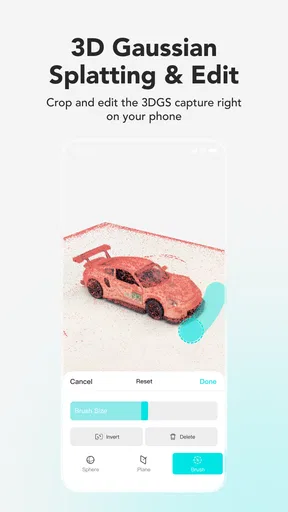
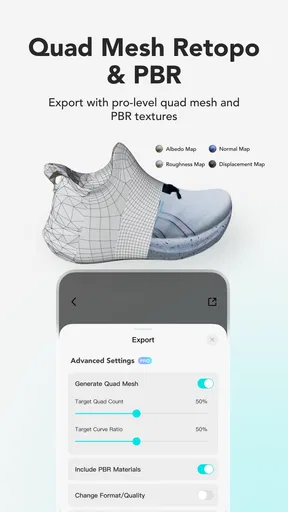
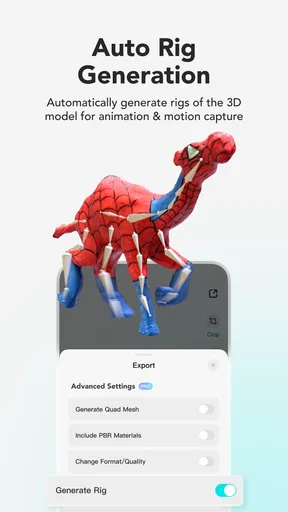
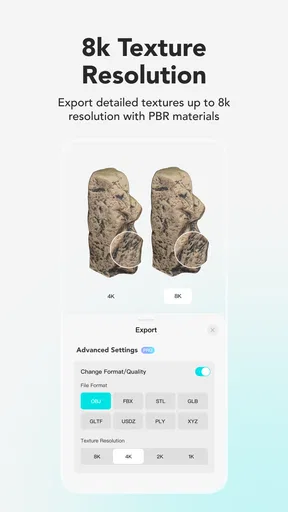
One of the standout features of the app is its versatility. You can export your 3D models in various formats, making them compatible with other 3D software for further editing. This is particularly useful if you’re into 3D printing or developing assets for games and animations.
The app also offers a cloud processing option, which is a lifesaver if you’re working with a device with limited processing power. Your scans are uploaded to the cloud, processed there, and then sent back to your device. It’s smooth, efficient, and a testament to how far mobile technology has come.
User Experience
Alright, let's get real about the user experience. The app is designed with the user in mind, and it shows. The interface is sleek and functional, and the learning curve is minimal. Even if you’re not a tech wizard, you’ll find yourself navigating through the app with ease.
Worth Reading Before You Choose

EA SPORTS FC Mobile 26 Is a Bigger Football Game, but It Takes Time

Flipboard Shows What News Apps Must Do Beyond the Feed

Switching to Android Auto Means Rethinking Your Driving Routine

Google Calendar Makes a Crowded Week Easier to Manage

Ludo King Makes the Most of the Minutes Between Plans

Baby Panda World Brings Quick Play to Modern Phones, but Its Game Library Feels Busy
Moreover, there's a supportive community of users and developers you can tap into for tips and tricks. The app's developers are quite active, regularly releasing updates and improvements, which is always a good sign for any app user.
"It's like having a mini 3D studio in your pocket."
This phrase perfectly encapsulates what the app is all about. You get access to tools and features that were previously the domain of high-end, expensive software, all from the convenience of your smartphone.
Limitations and Considerations
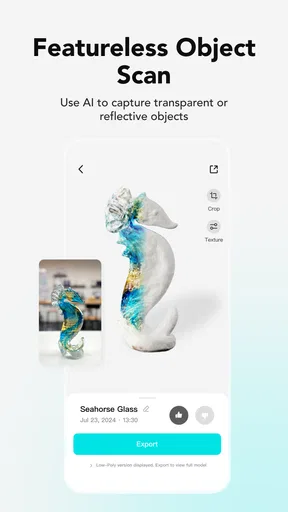
Now, no app is without its limitations. While the KIRI Engine performs admirably in most conditions, complex or highly reflective objects can sometimes pose a challenge. The app does its best to guide you through these scenarios, but it’s something to keep in mind as you plan your scans.
Additionally, the quality of your phone's camera can impact the final output. Higher-end devices will naturally yield better results, but even mid-range phones perform surprisingly well.
Final Thoughts
So, is the KIRI Engine worth your time? In my opinion, absolutely. It’s an innovative tool that brings 3D scanning to the masses, offering features and functionality that are both powerful and accessible. Whether you’re a hobbyist looking to dabble in 3D modeling or a professional needing a portable scanning solution, this app hits the mark.
The convenience of having such technology at your fingertips cannot be overstated. It’s a testament to how far we’ve come in making advanced tech available to everyone. So, if you’re curious about 3D scanning or looking for a new tool to add to your digital toolbox, give the KIRI Engine a try. You might just find yourself hooked!
Pros
- User-friendly interface for easy navigation.
- Accurate 3D scanning with high detail.
- Supports multiple export formats.
- Integrates well with 3D modeling software.
- Regular updates enhance functionality.
Cons
- Requires a stable internet connection.
- High battery consumption during scans.
- Limited features in free version.
- Occasional lag with older devices.
- Large file sizes after scanning.
FAQs for KIRI Engine: 3D Scanner App
What devices are compatible with KIRI Engine: 3D Scanner App?
KIRI Engine is compatible with most modern Android and iOS devices. It requires a smartphone or tablet with a camera and sufficient processing power to handle 3D rendering tasks. For the best performance, it's recommended to use a device with at least 3GB of RAM and a recent operating system version.
How does KIRI Engine handle privacy and data security?
KIRI Engine takes privacy and data security seriously. The app does not store any of your scanned data unless you choose to save or share it. All processing is done locally on your device, and any uploads are encrypted to ensure your data remains secure. Users have full control over their data.
Is an internet connection required to use KIRI Engine?
While KIRI Engine can perform basic 3D scanning offline, certain features require an internet connection. For instance, uploading scans to the cloud or sharing them with others needs online access. Additionally, updates to the app and its features are only available when connected to the internet.
Can KIRI Engine scan large objects effectively?
KIRI Engine is designed to scan a variety of objects, but its effectiveness with large objects depends on your device's capabilities. For larger scans, a device with a high-resolution camera and ample processing power is recommended. Users may need to scan in sections and merge them within the app.
Are there any in-app purchases or subscriptions available in KIRI Engine?
Yes, KIRI Engine offers optional in-app purchases and subscriptions. While the basic features are free, premium options such as enhanced resolution, more storage, and additional export formats are available through subscription plans. These features provide more flexibility and professional-level outputs for advanced users.


